

Every pool software company will tell you to automate. Even fewer will tell you what to automate first, and almost none will admit that some of the work on your desk still belongs to a person. That gap is why owners buy software in March, hire an office admin in September, and never get their evenings back either way.
The question worth answering is narrower than whether to automate. It is which hours leave your desk, which ones stay, and whether what remains is worth $24,000 a year, because that is what 20 hours a week of office help costs once payroll taxes are counted.
This guide covers where your desk hours actually go, which tasks can run without you, and where hiring is still the better answer.
Table of Contents:
What an Office Hire Costs
Office administrators average $21 an hour in 2026. You match 6.2% for Social Security on wages up to $184,500 and 1.45% for Medicare with no cap, then add federal unemployment at an effective 0.6% and state unemployment that runs anywhere from 0.1% to past 10% depending on your state and claims history. Payroll taxes alone land between 7.5% and 10%.
Twenty hours a week costs about $24,000 a year once those taxes are counted. Part-time is the honest comparison, because 20 hours of help rarely comes with benefits attached.
Full-time is a different number than the offer letter suggests. You are not required to offer health coverage until you reach 50 full-time employees, but most owners offer something to keep a good administrator, and the Bureau of Labor Statistics puts benefits at 30% of what employers spend on compensation. Add workers’ compensation, paid time off, payroll processing, and a computer, and a full-time administrator at $21 an hour costs $55,000 to $61,000, not the $43,680 you wrote on the offer letter.
That is the number every software quote should be measured against.
The second cost never appears on the offer letter. An admin removes the symptom and leaves the cause alone, so invoices still get built by hand and the aging report still waits for someone to open it, except now you are paying an office admin. A year in, every undocumented process in your company lives in one person’s head. That works beautifully until they give their notice in July.
Finding Your Desk Hours
Owners guess invoicing, but the answer is sitting in their pocket.
Before you change anything, spend one week writing down what desk work costs you. Six buckets, rounded to the nearest 15 minutes, evenings included, since the evenings are the whole reason you are reading this.
Track inbound calls, texts, web forms, and Facebook and Instagram messages, including the ones you answered standing in a parking lot between stops. Track everything involved in signing up a customer, from first conversation to a card on file. Track billing, meaning the invoices you build, the ones you fix, the declines you run down, and the aging report you keep meaning to read. Then track the week you rebuild around callouts and weather, and the loose ends you chase afterward, like the cracked skimmer lid and the quote nobody answered.
Add it up on Sunday night. Most owners land between 12 and 20 hours. Under 8 and you do not have a problem worth solving, so go enjoy the rest of your weekend. Past 15, you are working a second shift nobody pays you for. That shift is the quietest reason growing pool companies stop growing.
The Phone Is the Problem
Homeowners shop for pool service at 9pm with three different companies open in separate tabs. Every hour an inquiry sits unopened is an hour a competitor spends closing a lead you paid for.
The fix is a single shared inbox. Calls, texts, emails, website forms, and social messages arrive as one thread per customer, and an assistant answers the routine questions the moment they land. It handles what a plan includes, whether you cover their street, and what it costs. Then it checks live availability against your routes and technician schedules, books the opening, and puts the appointment on your calendar. Anything unusual goes to a real person, and you can step into the middle of a thread without the customer seeing the handoff.
Complaints come through the same door. Customers do not report problems in tidy categories. They send one long unpunctuated sentence from the back patio, and somebody has to turn that into a job before it disappears. Automated intake reads the message, asks the follow-up questions a good dispatcher would ask, and builds a structured issue on its own. One click turns it into a work order that carries the address over and links back to the complaint, so the repair stops living in a technician’s personal texts.
Turning Interest Into a Paying Customer
The stretch between wanting pool service and sitting on your schedule with a card on file is where revenue disappears. Every step in between is another chance for someone to cool off or call the next company on the list.
Self-serve signup closes that gap. The prospect checks their address against your service areas, picks a plan, enters payment details, enrolls in autopay, and signs your service agreement, all from a link you can drop into an ad or embed in your site.
You still choose your customers, which is what makes this workable rather than reckless. Signups arrive conditionally approved, so nothing begins until your staff reviews the details and confirms the plan suits the property. Addresses outside your coverage get declined politely or flagged for review, whichever you prefer. If verification turns up a pool in worse shape than you want, cancel before the first visit. You give up the phone tag, not the control.
Billing That Runs on Its Own
Billing is the first thing owners want to hand a new hire. Set it on autopilot and relieve yourself from busywork.
Recurring invoices generate and send on your schedule, payments run by card or ACH, and a failed charge retries when that card is most likely to have funds. The customer gets notified directly, so you never make that call, and expired cards update themselves when the bank reissues them. Invoices, payments, refunds, and credits sync to QuickBooks Online as they happen, which turns month-end close from a weekend project into something you barely notice.
Look at your processing fees while you are here. They take 2% to 3% of everything you collect, so $40,000 a month costs you $800 to $1,200 of it. ACH runs 0.8% capped at $5, and a customer entering their own card costs less than your office keying that same number in. Steering people toward either option adds up across a season, and compliant surcharging is there if you would rather pass the cost along.
The Weekly Schedule Rebuild
Every pool company runs the same ritual. Somebody sits down and puts the week back together after a tech calls out, a storm takes out half of a Tuesday, and a repair has to land before Friday or the customer starts calling again.
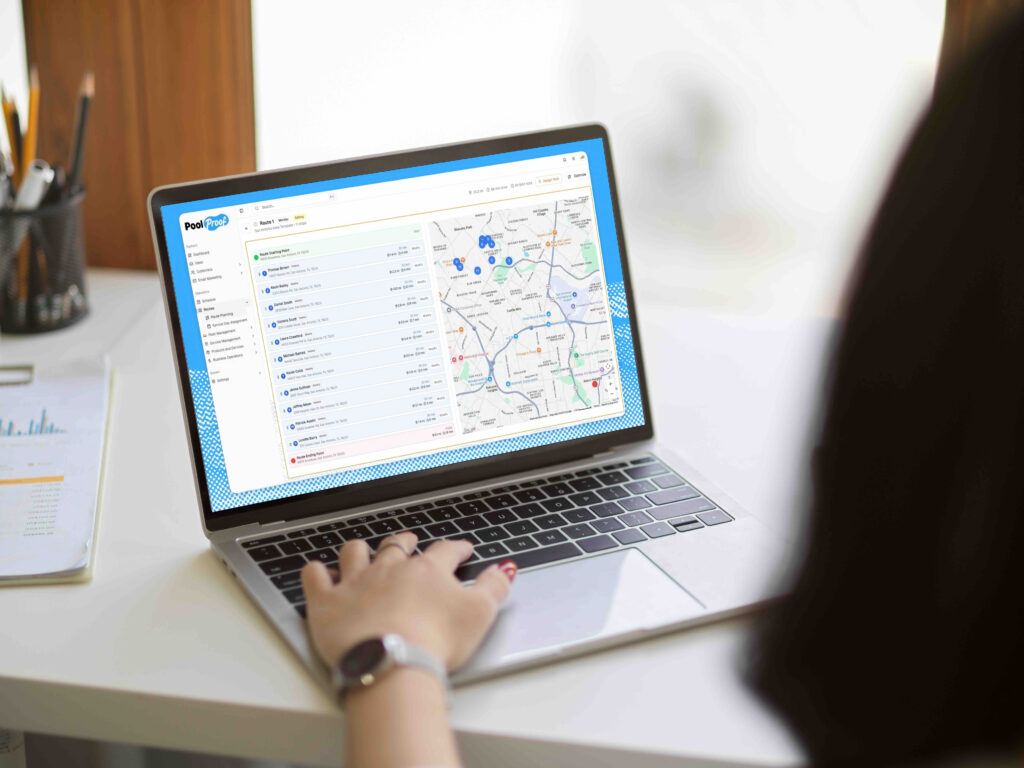
A routing assistant that watches continuously works differently from a button somebody has to remember to press. It analyzes routes for time savings, monitors weather, manages absences, and redistributes work when the plan changes, instead of waiting for a person to notice. You still approve what it proposes, so the difference is that you review a rebuilt week instead of building one from nothing at 8pm.
The strongest automation keeps you in control. It can recommend the next step, but your team should still have the final say. That approval step helps automation save time without creating a new place for mistakes to happen.
What Software Should Not Touch
Good software has limits, and knowing where those limits are is part of choosing the right platform.
Some conversations still need a person. A disputed green pool, a neighbor complaint, or a customer pushing back on a price increase all require context and judgment that automation cannot replace. The best systems make those conversations easier to manage without trying to take the human out of them.
Software also works best when the process behind it is already clear. If service plans vary from tech to tech or customer records are outdated, automation can end up repeating those inconsistencies at scale. Getting the process and data in order first gives the software something reliable to work from.
And the time savings usually are not immediate. The first few weeks are often spent configuring the system and documenting processes that may have lived in your team’s heads for years. In our experience, allowing roughly 30 days for that setup creates a much smoother transition and makes the time savings that follow far more meaningful.
Your First 30 Days
Switching everything on at once is how these projects go sideways. Stack it instead, and let each piece prove itself before you add the next.
Spend week one measuring and cleaning. Run the hour tally, then pull your customer list into a spreadsheet and fix what you find, because you will find things like duplicate accounts, three customers still paying 2019 prices, and addresses wrong for years.
Week two, get every channel landing in one inbox before you automate any of it. Even with nothing switched on, that visibility ends the “I thought you were handling that” conversations.
Week three is billing. Turn on recurring invoices, autopay, retries, and the accounting sync, then watch a full cycle before you trust it. Watch one more cycle after that before you stop looking.
By week four, you can open the front door, putting self-serve signup live and letting the routing assistant propose changes while you approve each one by hand. Within two weeks you will know whether you agree with it often enough to stop reviewing every suggestion.
Then run the tally again, because the gap between that number and your week one figure is the only return on investment that means anything.
When Hiring Is Still the Right Call
Sometimes you still need a person, and we would rather be clear about that than pretend software can solve every staffing problem.
Hiring makes sense when the work depends on relationships. Commercial accounts, HOA boards, and property managers often need a familiar point of contact that software cannot replace.
As companies grow, the answer is often both. Around 800 to 1,000 pools, many businesses use software for repetitive work while a coordinator handles customers, vendors, and exceptions.
The point is not that software beats hiring. It is to remove the work you can before paying someone to do it.
Want to know your number? Track your workload for a week, and we’ll show you what PoolProof can take off your plate and what still needs a person.
FAQs
How much does it cost to automate a pool service business?
Budgets run from $50 a month on a one-truck route to over $1,000 once you pass 500 pools, and the pricing structure drives that spread more than the product does. PoolProof is flat at $249 a month billed annually, which comes to $2,988 a year and includes five users, with additional users at $40 a month. Against a part-time hire at $24,000 fully loaded, flat-priced software costs a fraction of the alternative.
What should a pool company automate first?
Start with inbound communication, where faster responses can save time and help capture new leads. From there, automate routing to reduce drive time and billing to cut down on repetitive office work.
Will automating make my business feel impersonal?
When set up properly, it does the opposite, because routine questions get answered in seconds instead of hours and your team spends its attention on conversations that need a human. The failure worth avoiding is a system with no clean handoff to a person, so ask any vendor to show you what happens when their assistant does not know an answer.
Do I still need an office manager if I automate?
Most companies under 500 pools do not, provided the repeatable work has been removed rather than moved onto a screen. Above that, owners run both, with software handling volume and a coordinator handling exceptions.
How long before automation actually saves me time?
Thirty days. Configuration is real work, and the first few weeks go toward writing down processes you have carried in your head. PoolProof includes migration and configuration with a dedicated person and quotes 30 days or less to go live, so the hours come back after that rather than during it.