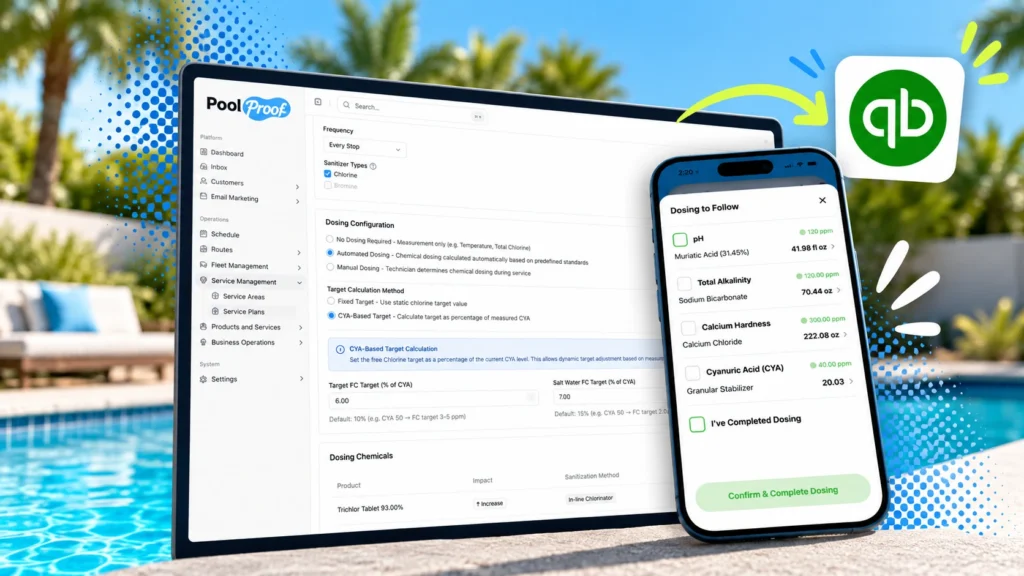

If you run a pool service company, your books probably live in QuickBooks Online. Your routes, technicians and work orders live in PoolProof. The gap between those two systems is where Sunday nights go: retyping invoices, matching payments to jobs by hand, and wondering why two totals that should agree are off by a few dollars.
Most pool service software has a workaround for that gap: a short list of recommended bookkeepers. They specialize in that one integration’s quirks. They know which payments never come back, which totals drift by a penny, and which duplicates to delete every month. That isn’t a fix. It’s a cleanup crew you pay for.
We took the other road. Over the last several months we rebuilt our QuickBooks integration from the ground up, so there are no quirks to work around. More than 40 improvements shipped between June and October 2026. The goal was simple to say and hard to do. Whatever happens in PoolProof should land correctly in QuickBooks. Whatever happens in QuickBooks should come back to PoolProof. And when the two ever disagree, you should be able to see it and fix it in minutes, not discover it at tax time.
Here’s what changed, and why any bookkeeper can open your QuickBooks file and trust what they find.
Table of Contents:
You choose who collects the money
Most companies want PoolProof to run billing end to end: invoices, card-on-file autopay, reminders and receipts. Others have collected through QuickBooks for years, and their customers are used to that “Pay now” email. Until now, connecting QuickBooks meant picking one way of working. Now you pick the billing mode that fits.
- PoolProof collects. PoolProof invoices, charges and sends reminders, and pushes every invoice, payment and refund to QuickBooks so your books stay current.
- QuickBooks collects. PoolProof creates the invoice the moment a job is closed and hands it to QuickBooks, where it is handled like any other QuickBooks invoice. QuickBooks sends it, calculates tax, takes payment and handles past-due reminders. PoolProof turns off its own invoice emails and card charging, so a customer never gets two bills for one job.
In QuickBooks-collects mode you can also leave recurring service plans billing entirely inside QuickBooks, and use PoolProof only for work order invoices. PoolProof won’t create or expect those recurring charges.
Why it matters
You get PoolProof’s routing, scheduling and field tools without retraining customers or changing payment processors. For many users, this is an interim step before fully adopting PoolProof billing.
Payments now flow both ways
The old integration was a one-way street: PoolProof pushed to QuickBooks and never looked back. If a customer mailed a check and your office recorded it in QuickBooks, PoolProof kept showing the invoice as open.
Other integrations leave that gap for a bookkeeper to catch by hand. We closed it. PoolProof now watches QuickBooks for payments on the invoices it sent and marks them paid, for every connected company, whichever billing mode you use. It handles the messy cases too: a payment that is part credit and part cash, or a credit you applied inside QuickBooks.
In the other direction, payments taken in PoolProof now land in QuickBooks under the right payment method:
- Credit card, ACH, cash and check each map to the matching method in your QuickBooks account.
- PayPal is now a payment method of its own.
- Check payments carry the check number as the reference number, so you can find them when you make a deposit.
- Refund receipts carry the invoice number in the memo.
The edge cases follow too. Void an invoice in PoolProof and the QuickBooks copy is voided. Apply a credit note and the application shows up in QuickBooks. If an invoice reaches QuickBooks after it was already paid, its payments and credits come with it.
Why it matters
Everyone in your company sees the same balance. Nobody calls a customer about a bill they paid last week.
Books that actually reconcile
Ask any bookkeeper what makes month-end painful and you’ll hear the same answer: deposits that don’t match. A customer pays $250 by card, but $242.45 hits the bank. Somebody has to explain that $7.55, for every payment, every month. On most platforms, that somebody is the specialist bookkeeper.
PoolProof now records the processing fee with each payment and posts card payments through a clearing account in QuickBooks. The gross payment, the fee and the net deposit each have their own line. Your bank feed matches without guesswork.
Sales tax got the same treatment.
- When QuickBooks collects, QuickBooks’ automated sales tax is the final word. PoolProof sends the invoice, QuickBooks calculates the tax, and PoolProof updates its own total to match.
- When PoolProof collects, PoolProof sends its own tax figure, so the invoice your customer paid and the invoice in your books are identical.
Finally, each invoice PoolProof pushes is tagged in a QuickBooks custom field with where it came from: a recurring service plan, a work order or a one-off sale. You can run QuickBooks reports by revenue source without leaving QuickBooks.
Why it matters
Your accountant spends less time cleaning up and more time telling you how the business is doing.
Your catalog and customers, lined up
A QuickBooks invoice is only as useful as the products and services on its lines. Before, PoolProof sent lines as free text, so your QuickBooks sales-by-item reports were close to empty. Now every line points at a real QuickBooks product or service.
- Pick the category. Each item in your PoolProof catalog can choose which QuickBooks category it belongs to.
- Bill plans the way you report them. A service plan’s price points can bill under a service you choose, such as “Weekly Maintenance” or “Bi-Weekly Maintenance,” instead of one catch-all item.
- Start from what you have. Import your existing QuickBooks products and services into matching PoolProof categories instead of rebuilding your price list by hand.
Customers got tighter too. PoolProof matches customer emails regardless of capitalization, so Jane@Example.com and jane@example.com are the same person. Importing customers from QuickBooks is now a setting you control. And each QuickBooks customer can be linked to only one PoolProof customer, so a payment can never be posted to the wrong account. Any customer that isn’t linked yet is flagged for you to fix, before their invoice is due.
Why it matters
Clean item reports in QuickBooks, and no duplicate customers quietly splitting one account’s history in two.
Built not to break, and easy to check
An integration you can’t see into is one you can’t trust. The biggest change in this release may be the one you notice least: when something goes wrong, it no longer goes wrong silently.
- Every invoice shows its sync status. Synced, error, blocked or paid, right on the invoice. A queue lists everything that hasn’t reached QuickBooks yet, with a retry button.
- Missing setup waits instead of failing. If an invoice can’t sync because something in QuickBooks isn’t set up yet, such as a default service item, it waits as Blocked and tells you why. Fix the setup and it goes through.
- Retries never create duplicates. Every write to QuickBooks carries a unique request ID. If the internet blips mid-sync and PoolProof tries again, QuickBooks recognizes the repeat. You won’t find two copies of one invoice or one payment.
Then there’s the new Invoice Audit tab. Pick a date range, and PoolProof compares every invoice and credit note it has against what’s in QuickBooks: what matches, what’s missing, and what differs. A full check that used to take an afternoon of exporting spreadsheets now takes a minute.
Why it matters
You can trust the numbers without paying someone to babysit the sync, and prove they’re right when someone asks.
No specialist bookkeeper required
None of this was designed in a vacuum. We partnered with customers who were strongly opinionated about what a great QuickBooks integration looks like, and who had dealt with the deficiencies of their former systems. Getting that right meant sorting out the hard parts: tax, payments, retries and the edge cases nobody mentions in a sales demo. Every company on QuickBooks gets the benefit, whichever way it bills.
That’s the difference we care about most. You shouldn’t need a bookkeeper who specializes in your software’s workarounds. The bookkeeper you already have, or whoever does the books on Sunday night, should open QuickBooks and find it right. When the integration is solid at the foundation, any bookkeeper will do.
We’re not done. Accounting integrations are never finished; they just get more trustworthy. Tell us where yours still causes friction, and it goes on the list.
Already connected? All of these improvements are live in your account today. Open Settings → QuickBooks to choose your billing mode, map your catalog and take a look at the Invoice Audit tab.
Not connected yet? Connecting takes a few minutes. Reach out to our team and we’ll walk you through it, including which billing mode fits the way you work.