

Table of Contents:
Routing is one of the first things that starts to break as a pool service business grows.
At the beginning, it’s straightforward. Someone builds the routes, assigns service days, lines up the stops, and sends the techs out. The week runs the way it’s supposed to.
But that only lasts for a while.
As more customers get added, routing starts taking longer. You’re trying to fit new pools into routes that already feel full. Drive times start creeping up, and stops get added wherever they can fit instead of where they should. What used to take a few minutes now takes real time to figure out.
Once it starts slipping, it usually does not stop on its own.
When “One Small Change” Turns Into a Headache
We know how this goes. You move one pool, and suddenly the whole route needs reworking. Stops spread out, drive times climb, and you’re back in the middle of it fixing things again. Then it keeps happening. New adds, reschedules, callouts. You fix one thing, and it creates two more problems. That’s when routing stops feeling like a plan and starts feeling like a problem.
That’s usually when it clicks. It’s not just a routing problem, it’s a system problem. That’s where intelligent routing starts to make a difference.
How PoolProof Reduces the Need for Manual Scheduling
Here’s a common example. You add a new customer in a neighborhood where your routes already feel packed. In a manual system, that means opening the schedule, figuring out which route is closest, checking if there’s room, adjusting the stop order, and hoping the drive times still make sense. It usually turns into a series of small judgment calls, and every change risks throwing off the rest of the day.
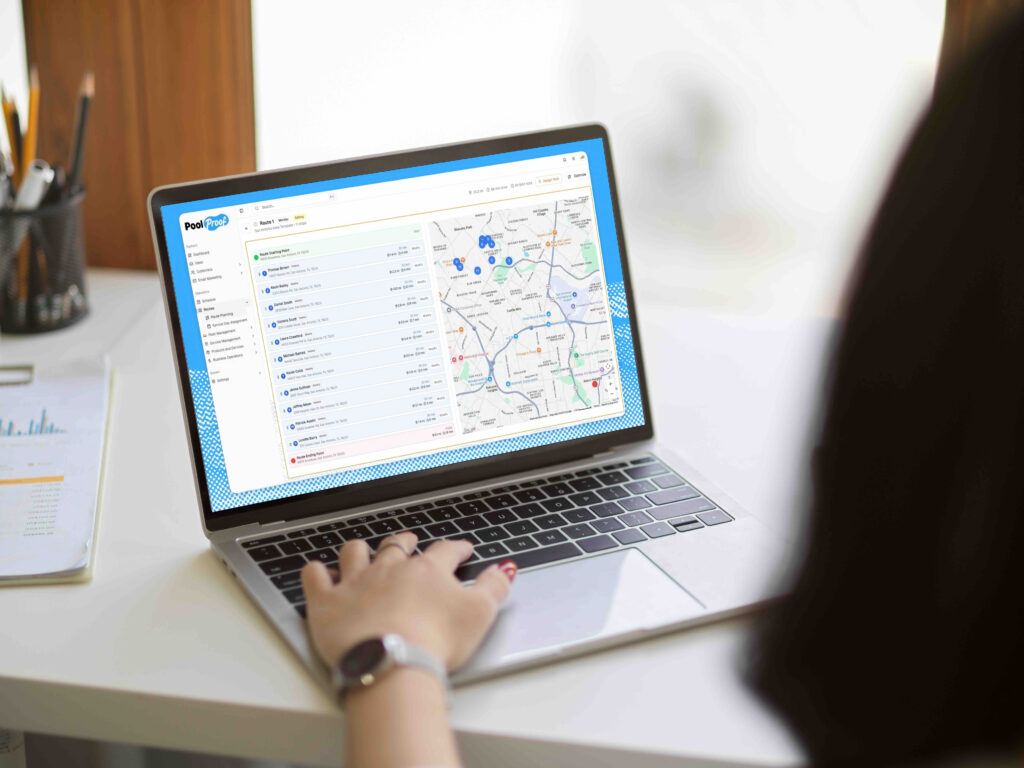
With PoolProof, you add the customer and the system places them into the right route based on location and current workload. The stop fits where it should, not just where it can, and the rest of the route stays intact. Instead of rebuilding the schedule by hand, you get a clean placement that makes operational sense from the start.
Manual Routing vs. Intelligent Routing
|
Routing Task |
Manual Scheduling |
Intelligent Routing |
|
Route creation |
Built manually by the office |
Generated automatically |
|
Geographic efficiency |
Depends on manual planning |
Customers clustered by location |
|
Workload balancing |
Adjusted manually |
Balanced using service duration |
|
Moving a stop |
Often requires rebuilding routes |
Stops can be reassigned quickly |
|
Ongoing optimization |
Requires constant oversight |
Routes stay aligned as things change |
As the number of pools grows, the difference between these two approaches becomes a lot more noticeable.
What This Changes Day to Day
When routing stops needing constant attention, everything feels more stable.
Routes adjust when plans change. Billing and schedules stay on track. You’re not ending the day fixing what fell apart earlier, and you’re not getting pulled back in every time something shifts.
That’s what actually changes. Less manual work, fewer interruptions, and a system you can rely on to hold things together as you grow.
See How PoolProof Handles Routing
PoolProof is built to keep routes organized, balanced, and adaptable as your business grows, without constant rebuilding or manual fixes.
Take a look at how PoolProof keeps your routes running the way they should, even when the week does not go as planned.